If you build AI pipelines that read PDFs, you already know the dilemma: some parsers are fast but lose structure, while others preserve quality but increase latency.
LiteParse is an open-source parser from the LlamaIndex ecosystem designed for speed + useful structure in local workflows.
Why LiteParse matters for RAG
In RAG, extraction quality is not just about extracting text. It is about preserving signals that improve retrieval and reasoning:
- Relative position of text blocks
- Column alignment
- Table-like spacing
- Page boundaries
LiteParse preserves the original document layout by projecting text into a spatial representation (instead of trying to aggressively rewrite everything into markdown).
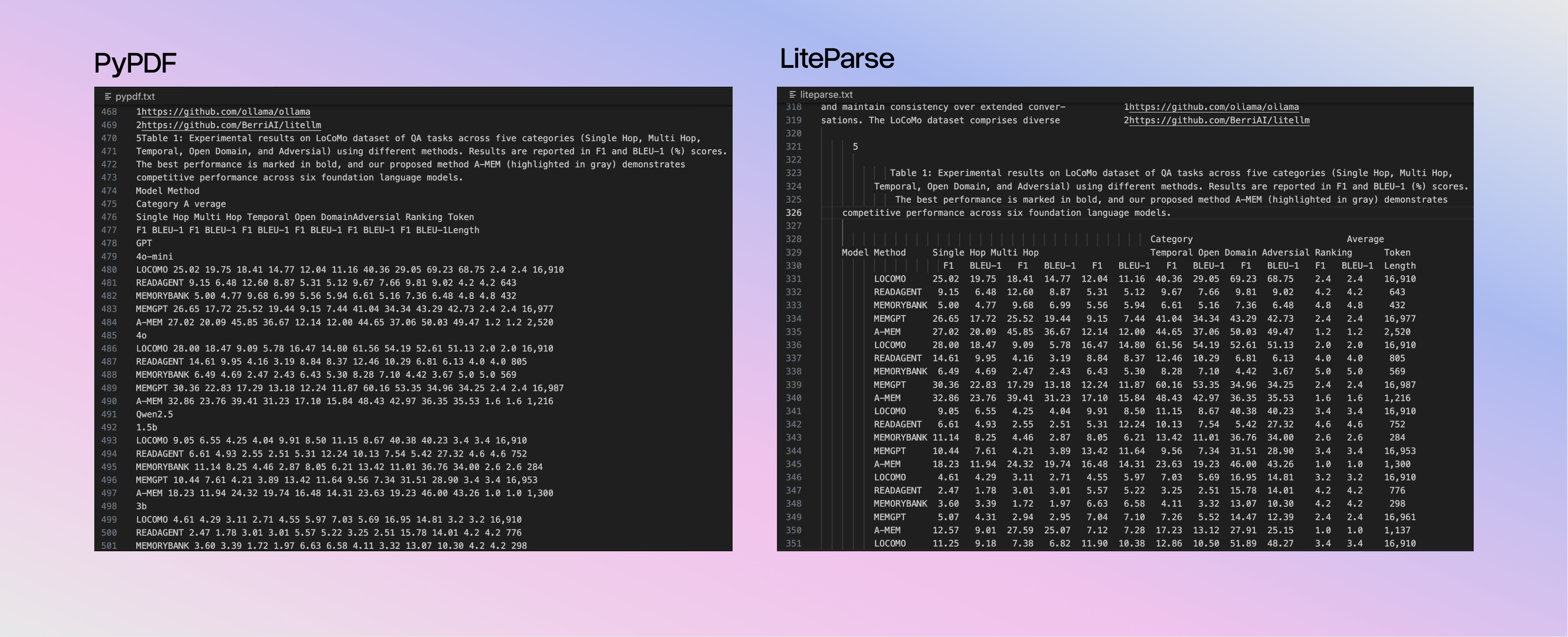
This matters because modern LLMs are very good at reading these layout patterns. Keeping this structure improves:
- Chunk fidelity during indexing
- Recall in retrieval
- More grounded answers (less hallucination from broken context)
Example: parsing a PDF in Python
Install the package:
|
|
Run the code:
|
|
This output preserves important spacing and alignment cues from the original PDF.
Example: online test
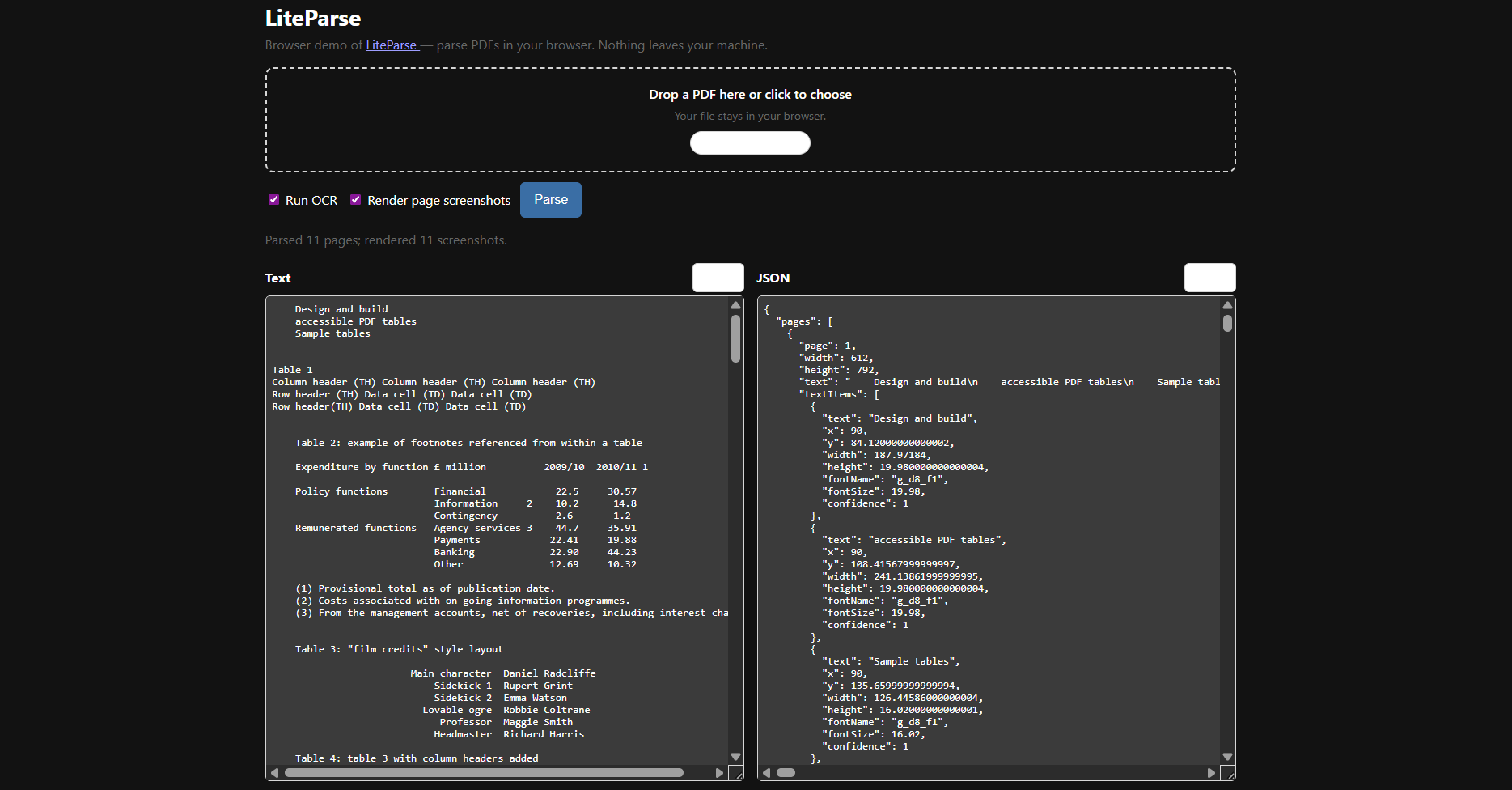
You can test LiteParse 100% free online with any PDF file here: https://simonw.github.io/liteparse/.
OCR and Complex Documents
LiteParse supports OCR and can be used with default OCR or external OCR servers for more complex cases.
For scanned PDFs, you can keep a single Python workflow and still get layout-preserving output.