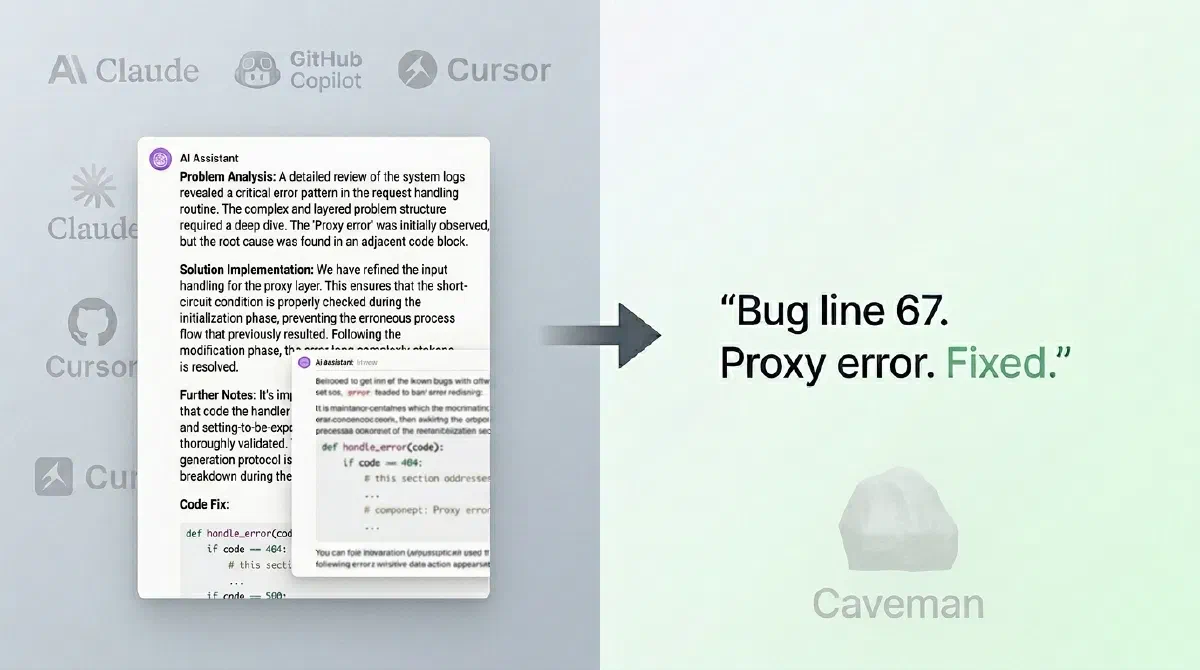
If you’ve ever automated tasks with LLMs in production, you know exactly where it hurts: responses that are too long for simple tasks.
In many engineering routines, you don’t need three paragraphs of pleasantries to find out if there’s a bug in a function. You need:
- quick diagnosis;
- minimal context;
- recommended action.
That’s the problem that Caveman solves very well.
What Is Caveman?
Caveman is a skill/plugin for AI agents (like Claude Code and Copilot) that forces an extremely direct response style — less fluff, fewer tokens.
The idea is simple:
- cut courtesy phrases;
- reduce unsolicited explanations;
- keep only the information that really matters.
The result is a “telegraphic” mode of communication, but still technical.
Instead of:
“Of course, great question. Let’s analyze this snippet calmly and consider some important points before arriving at the solution…”
You get something like:
“Null validation bug. Line X. Add check before accessing attribute.”
Less pretty. Much more useful in a pipeline.
Why Does a “Persona” Work Better Than Just Asking to “Be Brief”?
An interesting detail of prompt engineering here: asking to “be concise” doesn’t always work consistently.
Models tend to revert to the default behavior of “helping with full context”. A persona with clear rules (in this case, the caveman style) creates a stronger behavioral anchor.
In practice:
- vague instruction: behavior fluctuates;
- defined persona: more predictable behavior.
For those running repetitive flows, predictability is gold.
How to Install
There are two different options depending on the environment.
Claude Code (plugin)
|
|
Installation via skills (multi-agent)
|
|
If you want to install the skill for a specific agent (instead of installing in the default mode), use the -a flag.
Examples:
|
|
Practical rule: if you work with more than one agent on the same machine, using -a avoids confusion and makes it explicit where the skill was activated.
How to Use Day-to-Day
Caveman brings intensity levels like lite, full, and ultra.
Conceptually:
lite: reduces fluff, keeps more natural grammar;full: standard caveman mode;ultra: maximum response compression.
| Mode | Command | Style | Best Use |
|---|---|---|---|
| Lite | /caveman lite |
Removes filler, keeps grammar | Technical work with high readability |
| Full | /caveman full |
Standard caveman, shorter sentences | Daily reviews and triage |
| Ultra | /caveman ultra |
Maximum compression, telegraphic | Automated pipelines and high volume |
In the daily workflow, this is excellent for switching between:
- productivity mode (review, triage, debugging);
- explanation mode (when you really want detail).
Before / After
| Scenario | 🗣️ Normal Claude | 🪨 Caveman Claude |
|---|---|---|
| Re-render in React | (69 tokens) “The reason your React component is re-rendering is probably that you’re creating a new object reference on every render cycle. When you pass an inline object as a prop, React’s shallow comparison sees it as a different object each time, which triggers a re-render. I recommend using useMemo to memoize the object.” |
(19 tokens) “New object reference on each render. Inline prop = new ref = re-render. Wrap with useMemo.” |
| Auth middleware | “Sure! Happy to help. The issue you’re experiencing is likely because your auth middleware isn’t properly validating the token expiration. Let me analyze and suggest a fix.” | “Auth middleware bug. Expiry check uses < instead of <=. Fix:” |
Same fix. 75% fewer words.
Where It Shines
The gain is greatest in structured technical tasks, for example:
- function summarization;
- error explanation;
- code review comments;
- log triage;
- fix steps in CI/CD.
In these scenarios, the Caveman ecosystem itself reports significant token reductions in benchmarks and practical examples.
Fewer output tokens generally means:
- lower perceived latency;
- lower cost per call;
- better scannability for humans.
Comparative Benchmarks
| Task | Tokens without Caveman | Tokens with Caveman | Reduction |
|---|---|---|---|
| Explain React re-render bug | 1180 | 159 | 87% |
| Fix token expiry in auth middleware | 704 | 121 | 83% |
| Configure PostgreSQL connection pool | 2347 | 380 | 84% |
| Explain git rebase vs merge | 702 | 292 | 58% |
| Refactor callback to async/await | 387 | 301 | 22% |
| Architecture: microservices vs monolith | 446 | 310 | 30% |
| Review PR for security flaws | 678 | 398 | 41% |
| Docker multi-stage build | 1042 | 290 | 72% |
| Debug race condition in PostgreSQL | 1200 | 232 | 81% |
| Implement React error boundary | 3454 | 456 | 87% |
| Average | 1214 | 294 | 65% |
Summary: savings range between 22% and 87%, depending on prompt type.
Where You Should Not Use It
Not everything is a hammer.
Avoid Caveman when communication, nuance, and empathy are a core part of the delivery:
- end-user content;
- didactic documentation;
- sensitive topics (legal, health, compliance);
- explanations for beginners on the topic.
In these cases, compressing too much can remove important context.
Example of Hybrid Policy (Recommended)
A mature strategy is to activate compression only for task types that truly benefit from it.
|
|
This pattern avoids two extremes:
- wasting tokens on mechanical tasks;
- impoverishing communication on tasks that require context.
An Underrated Feature: Context Compression
In addition to short responses, the project also explores compression of context files (such as instructions and session memory), preserving sensitive technical elements (code, paths, commands) while compressing explanatory text.
This is especially useful when your agent reads fixed files in every session.
Fewer recurring context tokens = more room for the actual task.
Comparative table for caveman-compress (input/context)
| File (example) | Before | After | Reduction |
|---|---|---|---|
| claude-md-preferences.md | 706 | 285 | 59.6% |
| project-notes.md | 1145 | 535 | 53.3% |
| claude-md-project.md | 1122 | 687 | 38.8% |
| todo-list.md | 627 | 388 | 38.1% |
| mixed-with-code.md | 888 | 574 | 35.4% |
| Average | 898 | 494 | 45% |
Here the focus is not just on output: it’s also about reducing the “reading cost” of context loaded in every session.
Summary
Caveman is a simple and practical way to make AI responses shorter without losing the technical core. In repetitive and structured tasks, the project’s own data shows significant token reductions, with direct impact on read speed, latency, and cost.
The main lesson is objective: default model behavior is not necessarily the best behavior for production. By adjusting the response style with a specific skill, you bring the agent closer to what really matters in day-to-day engineering: operational efficiency, predictability, and quick decision-making.