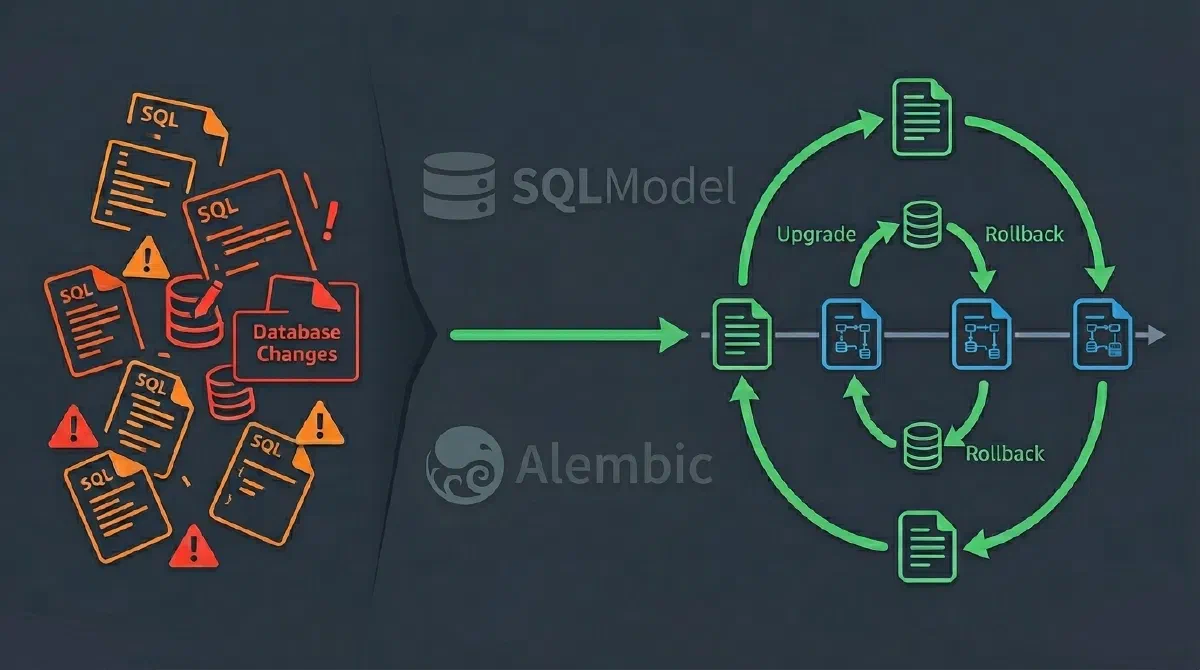
If you’ve worked with databases in Python, you’ve probably felt the pain of managing schema changes. Add a column here, modify a type there, create an index somewhere else… and suddenly you no longer know what the actual state of your database is. Even worse: how do you ensure all environments (development, staging, production) are in sync?
The combination of SQLModel and Alembic solves this problem elegantly, bringing type safety with Pydantic, the robustness of SQLAlchemy, and version control for your database migrations. In this article, you’ll learn how to configure and use these two powerful tools together.
The Problem: Manual Schema and Chaos
In the traditional model, database changes are made manually via SQL scripts:
|
|
Problems with this approach:
No version control - You don’t know which changes have already been applied
No rollback - If something goes wrong, good luck undoing it manually
No validation - Errors only appear at runtime
Out-of-sync environments - Dev, staging, and production with different schemas
Complicated teamwork - How do you sync changes from multiple developers?
SQLModel: The Best of Both Worlds
SQLModel is a library created by Sebastian Ramirez (the same creator of FastAPI) that combines the best of Pydantic (type validation) with the best of SQLAlchemy (powerful ORM).
Why SQLModel?
✅ Type Safety - Uses Python type hints for automatic validation
✅ DRY (Don’t Repeat Yourself) - One model serves both validation and ORM
✅ Editor Support - Autocomplete and type checking in your IDE
✅ Compatible - Fully compatible with SQLAlchemy and Pydantic
Defining a SQLModel Model
See how simple it is to define a model:
|
|
This model is simultaneously:
- A Pydantic model for data validation
- A SQLAlchemy model for database operations
- A schema definition that can be versioned
Alembic: Version Control for Your Database
Alembic is a database migration tool for SQLAlchemy. Think of it as Git for your schema — it versions all changes and allows you to apply or revert them in a controlled way.
How Does It Work?
- You modify your model SQLModel (add a field, change a type, etc.)
- Alembic detects the change automatically by comparing the model with the database
- Generates a migration script with the necessary SQL operations
- You review and apply the migration in a controlled manner
Each migration has:
- A unique ID (hash)
- An
upgrade()function to apply the change - A
downgrade()function to revert the change - Reference to the previous migration (creating a chain of versions)
Hands On: Initial Setup
Let’s create a project from scratch and configure everything correctly.
1. Installation
|
|
For PostgreSQL (production):
|
|
2. Project Structure
project/
├── app/
│   ├── __init__.py
│   ├── models.py      # SQLModel models
│   └── database.py    # Database configuration
├── alembic/
│   └── versions/      # Migrations go here (created automatically)
├── alembic.ini        # Alembic configuration
└── main.py            # Main application
3. Initializing Alembic
|
|
This creates the directory structure and configuration files.
4. Configuring Alembic for SQLModel
Step 1: Configure the database URL in alembic.ini:
|
|
Step 2: Configure env.py to use SQLModel metadata:
|
|
IMPORTANT: You need to import all your models in env.py, otherwise Alembic won’t detect them for autogenerate.
5. Create Initial Models
Create app/models.py:
|
|
Create app/database.py:
|
|
First Migration: Creating the Initial Schema
Now let’s create our first migration with autogenerate — Alembic will automatically detect the models:
|
|
You’ll see something like:
INFO  [alembic.runtime.migration] Context impl SQLiteImpl.
INFO  [alembic.runtime.migration] Will assume non-transactional DDL.
INFO  [alembic.autogenerate.compare] Detected added table 'user'
INFO  [alembic.autogenerate.compare] Detected added index 'ix_user_email' on '['email']'
INFO  [alembic.autogenerate.compare] Detected added index 'ix_user_name' on '['name']'
  Generating /project/alembic/versions/abc123_create_users_table.py ...  done
Always review the generated file! Open alembic/versions/abc123_create_users_table.py:
|
|
Now apply the migration:
|
|
Output:
INFO [alembic.runtime.migration] Running upgrade -> abc123, create users table
Done! Your table was created.
Evolving the Schema: Adding Fields
Now let’s add new fields to our model. Imagine we need to store the creation date and SSN.
1. Modify the Model
Update app/models.py:
|
|
2. Generate New Migration
|
|
Alembic automatically detects the changes:
INFO  [alembic.autogenerate.compare] Detected added column 'user.ssn'
INFO  [alembic.autogenerate.compare] Detected added column 'user.created_at'
  Generating /project/alembic/versions/def456_add_ssn_and_created_at.py ...  done
3. Review and Apply
|
|
Relationships Between Tables
Let’s add a Post table related to User (one-to-many).
1. Define New Models
Update app/models.py:
|
|
2. Generate and Apply Migration
|
|
Best Practices with Alembic and SQLModel
✅ Always Review Autogenerate Migrations
|
|
✅ Test Downgrades Locally
|
|
✅ Use Descriptive Migration Names
|
|
✅ Useful Alembic Commands
|
|
Conclusion
The combination of SQLModel and Alembic offers a complete and elegant solution for working with databases in Python:
- SQLModel brings type safety, automatic validation, and the simplicity of defining models just once
- Alembic adds professional version control, automatic migrations, and the ability to evolve your schema safely
Main advantages of this stack:
✅ Type Safety - Errors caught in the IDE, not in production
✅ Version Control - Complete history of schema changes
✅ Reliable Rollback - Revert changes when necessary
✅ Intelligent Autogenerate - Alembic automatically detects changes
✅ Teamwork - Sync schemas between developers
✅ Consistent Environments - Dev, staging, and production always aligned
If you’re starting a new project or want to professionalize database management in an existing project, this combination is highly recommended.