
We’ve all had to deal with JSON data at least once, whether using an API or reading directly from a file. And as a consequence, I believe most of us have encountered errors related to data quality or formatting in it.
In this article I’ll share two approaches I like to use when working with this type of data in Python.
For our tests we’ll use the PokéAPI.

Consider that we have the following function below.
|
|
Some examples:
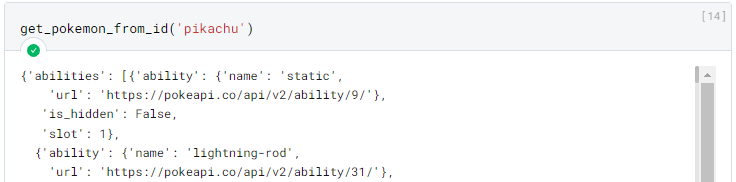
In this case for the Pokemon “pikachu” the result contains about 11,200 lines, so it was omitted.

Data Classes with Pydantic
The first approach uses some “Data Class” library. There are several such libraries in Python, like the built-in dataclasses module, but my favorite is the Pydantic library due to some extra features it has.
The complete official documentation can be found here https://pypi.org/project/pydantic/.
|
|
We can install it with the command above.
Assuming we don’t need all the data from the API: we can extract only the information we need and guarantee its quality using Pydantic.
It works based on classes, which we can define with the following syntax:
|
|
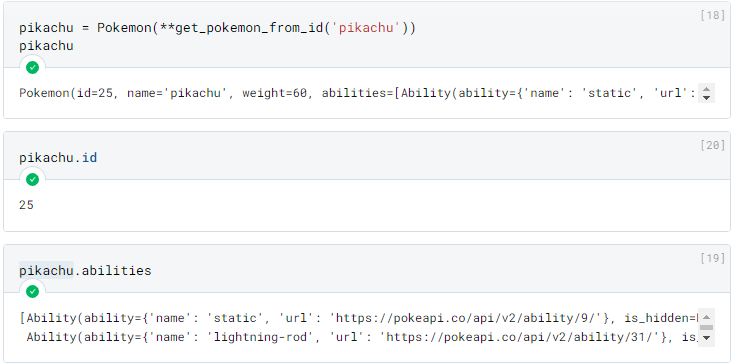
We can use them as follows:
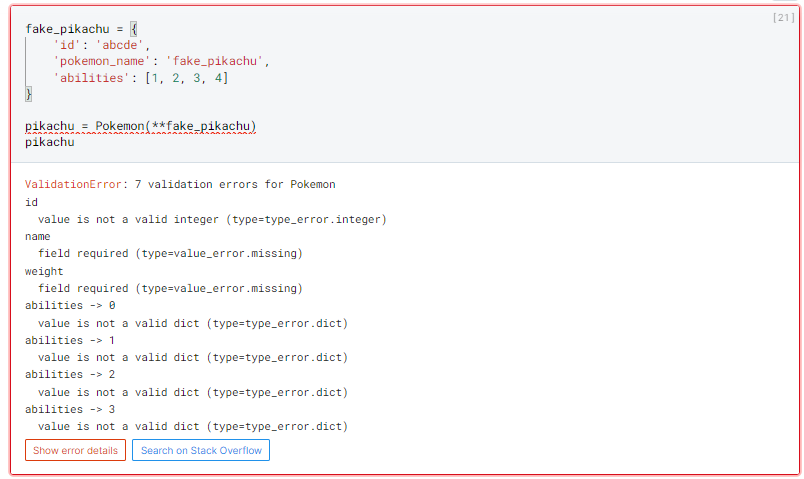
Let’s suppose we now receive incorrect data from the API. Pydantic would notify us as follows, with a clear and objective error message listing all found problems.
Pydantic is incredible, but in my opinion it starts to become very “laborious” when working with very nested data. For example, the “abilities” field — currently we’re not validating its content, we just defined it as a field containing a dictionary. If we wanted to validate the value of this dictionary, we’d need to create another class:
|
|
This gives us the following result:
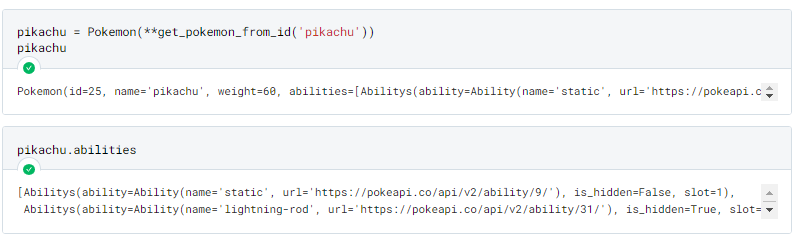
It works! However, we can see that: the more nested our data is, the more complex our class schema becomes.
Unless you’re a Java developer, I bet that idea doesn’t appeal to you much. For situations like these I like to use a different approach.
Schema Validation
The second approach uses the schema definition library called “Schema”.
The complete official documentation can be found here https://pypi.org/project/schema.
|
|
To define a schema we use the following syntax:
|
|
This gives us the following result:
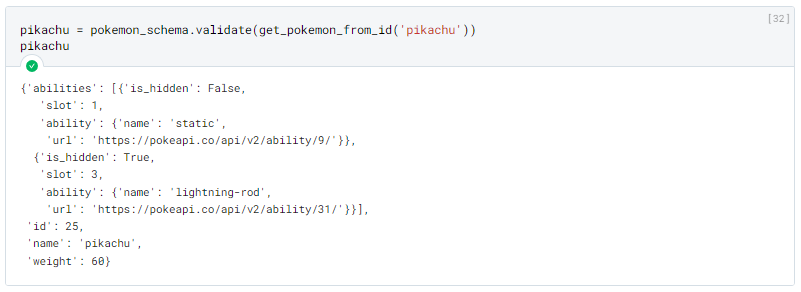
In case of validation error:
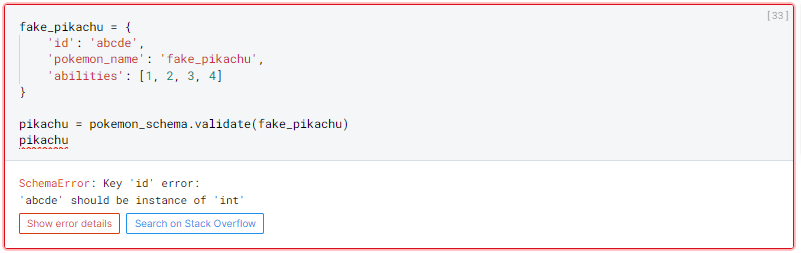
We can clearly see some differences.
First, the result of the validation will have the same structure defined when creating the Schema (whereas with Pydantic the result is an instance of the defined object class).
The validation stops at the first error found.
The syntax for defining the Schema is practically a “copy” of the JSON object, which in my opinion makes it much more readable and explicit what the structure of the returned object will be.
Conclusion
In my opinion, the choice of which library to use depends on your context, for example:
If you’re building a backend application: I believe the Pydantic approach is more recommended. Due to the greater validation control it provides, and also some existing integrations with ORMs.
Now if you’re building a data pipeline (using tools like Dagster or Airflow), where you’re consuming data from an API or files from a Data Lake, and at the end of the day you just want your data available in a DataFrame, then a Schema approach will probably be better, as you won’t need to instantiate an object with your data just to remove it from it shortly after.
Please tell me your opinion below!
What did you think of the proposed alternatives? Which is your favorite? Do you have a different approach?