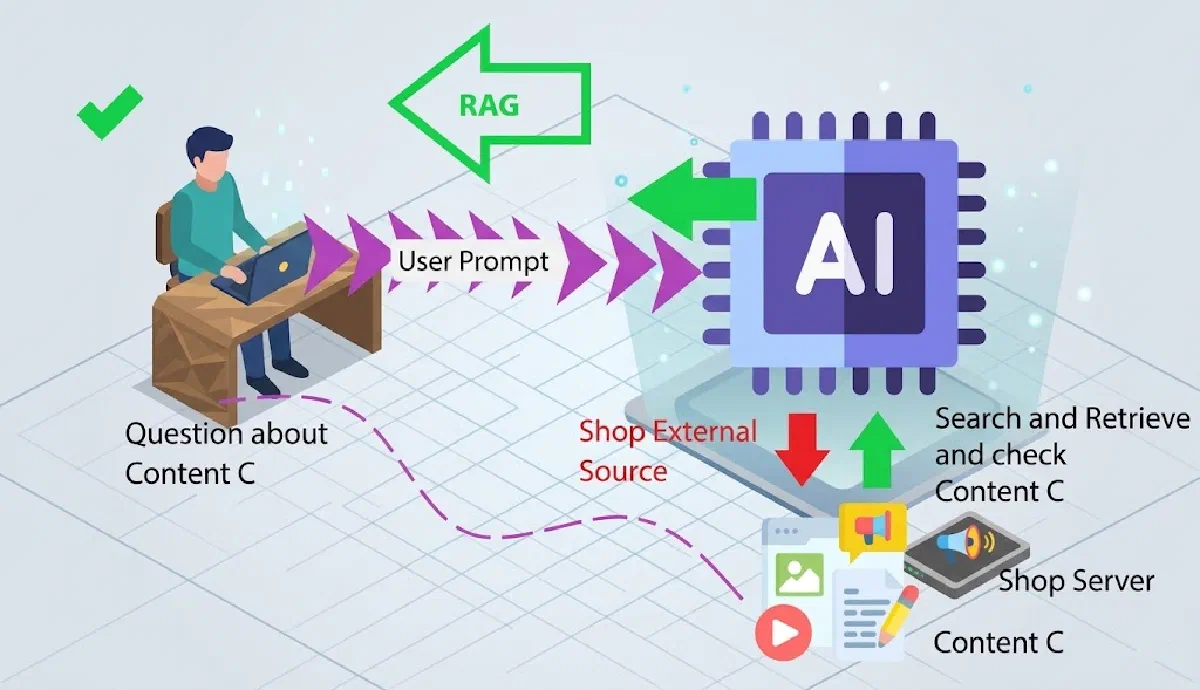
Text generation with large language models (LLMs) has revolutionized how we create content. However, one of the biggest challenges is ensuring that the generated information is verifiable and reliable. In this article, I’ll show a universal technique for generating any type of structured content with verifiable references, combining advanced search (Tavily) with LLMs. I’ll use biographies as a practical example, but the technique applies to reports, articles, analyses, and any other fact-based content.
The Problem: Hallucinations in LLMs
LLMs are incredible at generating coherent, well-written text, but they frequently “hallucinate” — inventing information that seems plausible but isn’t true. The solution? Provide the model with verified information and require it to cite its sources for each statement.
The Solution: Search + Structured Generation
We’ll build a system that:
- Searches for real information about a topic using the Tavily API
- Uses an LLM with structured output support (in this example, Google Gemini) to generate structured text
- Requires each sentence in the text to have a specific reference
Important note: Any LLM provider that supports structured output can be used in this approach — OpenAI, Anthropic, Google, Azure OpenAI, etc. The principle is the same: provide a JSON schema and require the model to return data in that format.
Installing Dependencies
First, we need to install the required libraries:
|
|
Searching for Information with Tavily
Tavily is a search API optimized for AI agents and RAG (Retrieval-Augmented Generation). Unlike traditional search APIs, it returns clean, structured content ideal for feeding LLMs.
For this example, we’ll search for information about an artist to create a biography, but you can adapt the query to any topic:
|
|
The search_depth="advanced" parameter makes Tavily perform a deeper, more precise search — essential for obtaining reliable information.
Structuring the Response with Pydantic
To ensure the LLM returns data in the format we need, we use Pydantic to define the expected structure. The structure below is specific to biographies, but you can create similar structures for any type of content (reports, research articles, market analyses, etc.):
|
|
This structure ensures that:
- Each
Sentencehas a text and a reference - Each
Referencecontains a title, URL, and an excerpt supporting the information - The full
ArtistBiographyis a list of structured sentences
Generating Content with LLM and Structured Output
Now let’s build the prompt and use an LLM to generate the content. In this example, we use Google Gemini to generate a biography, but any model that supports structured output would work (OpenAI with response_format, Anthropic Claude, etc.) and you can adapt the prompt to generate any type of content:
|
|
Now we call Gemini with the JSON schema from our Pydantic structure:
|
|
The response_schema parameter is the secret here — it forces the model to return data exactly in the format we defined with Pydantic.
Alternative Providers
You can use other LLM providers with similar approaches:
OpenAI:
|
|
Anthropic Claude:
|
|
The important thing is that the chosen provider supports structured JSON output.
Displaying the Result
Finally, we can display the generated biography with its references:
|
|
Expected Output
The code above will generate output like:
# Silvio Santos

Silvio Santos, stage name of Senor Abravanel, was born on December 12, 1930 in Rio de Janeiro.
    >Reference: Silvio Santos - Wikipedia - https://en.wikipedia.org/wiki/Silvio_Santos
    >Excerpt: Senor Abravanel, better known as Silvio Santos, was born on December 12, 1930...

He was one of the greatest TV hosts and businessmen in Brazilian television...
    >Reference: The trajectory of Silvio Santos - Portal G1
    >Excerpt: The host built a media empire in Brazilian TV...
Why This Matters
This approach solves several common problems in AI text generation:
- Traceability: Every statement has a verifiable source
- Reliability: Information comes from real searches, not the LLM’s memory
- Structuring: The Pydantic format ensures consistent data
- Verification: Users can click links and verify the information
Use Cases
This technique can be applied in various scenarios:
- Research report generation
- Journalistic article creation
- Executive summaries with sources
- Product data sheets
- Documented market analyses
Conclusion
Combining advanced search with structured generation allows us to create AI systems that are both creative and reliable. The technique demonstrated here with biographies is just one example — you can adapt the same pattern to:
- Technical reports: Each paragraph with references to official documentation
- Opinion articles: Arguments supported by studies and news
- Research summaries: Insights extracted from multiple academic papers
- Product analyses: Features verified with official sources
- Educational content: Concepts explained with reliable references
The principle is always the same: search for verified information, structure the data with Pydantic, and require each statement to have a source. This drastically reduces the hallucination problem in LLMs.