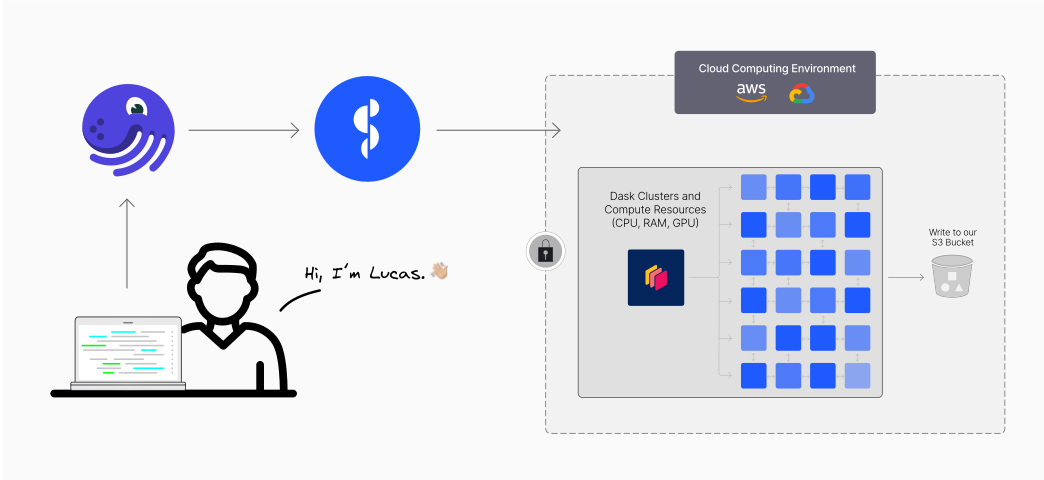
In this article I’ll show a simple integration between Dagster and Dask+Coiled. We’ll discuss how this turned a common problem — processing a large set of files monthly — into a really easy task.
The User and the Problem
Hi 👋, my name is Lucas, I’m the leader of the data science and data engineering team at OnlineApp, a B2B company serving the Brazilian market.
Every month, the Brazilian government publishes a large set of CSV files with information about Brazilian companies, which we use to better understand our market. We have many internal services that want to read this data, but before that’s possible, we need to preprocess it a bit:
- Filter some rows and columns we’re not interested in;
- Clean some values in various columns;
- Perform joins with other internal datasets we have;
- Convert to Parquet and store in our own cloud storage;
We have many other services in our company that depend on this data.
Architecture
For regular processes like these, run on a schedule, we generally use Dagster. We like to use Dagster because it’s easy to use and feels natural (intuitive). It runs on a VM in the cloud, which gives us quick access to other data in the cloud (like these CSV files).
Normally, we would use Pandas for this type of process, but this file set is too large to fit in memory (about ≅150 million rows with several columns), so we switched to Dask. Unfortunately, the dataset is also too large for our VM running Dagster, so we decided to use Coiled to request a cluster of larger machines, each with a reasonable amount of memory.
In principle, we wanted to do something like this:
|
|
This would work, but we wanted to make it more natural by integrating it with Dagster. And we’re excited to share what we did.
Dagster + Coiled Integration
Dagster has the concept of a Resource. Resources generally model external components that Assets and Operations (Ops, short for “Operations”, like in the example above) interact with. For example, a resource could be a connection to a data warehouse like Snowflake or a service like a REST API.
To make the Dask+Coiled resource more reusable and also take advantage of all the additional functionality that Dagster offers when working with resources, we turned our Coiled cluster into a Dagster resource. This is as easy as:
|
|
To use this resource, we add it to our Job definition:
|
|
And finally, in the operations that need a Dask cluster to run computations, we specify these dependencies as follows:
|
|
And that’s it — we now have full integration between Dagster, Dask, and Coiled in a very easy to configure and maintain way.
As a bonus, here’s how we define a local Dask cluster for development and testing purposes:
|
|
Results
We now have operations in Dagster that receive a tag specifying that the operation uses Dask+Coiled. When Dagster runs them, it starts a temporary Dask cluster, performs the necessary processing, and then automatically discards the cluster.
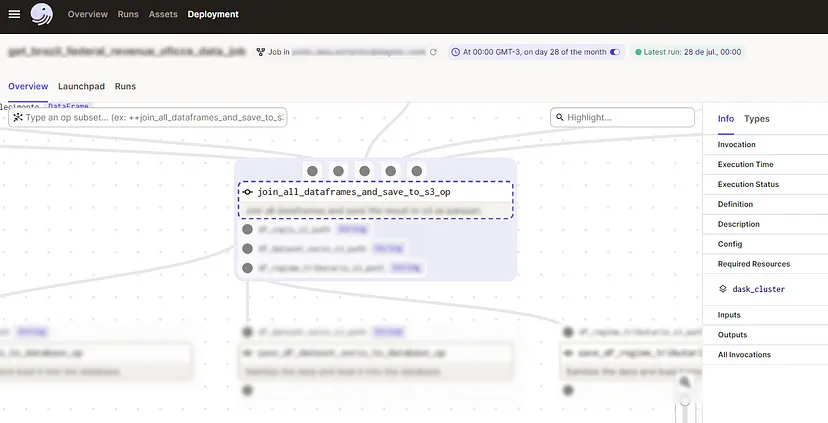
This image shows how the operation resources are listed in the Dagster UI:
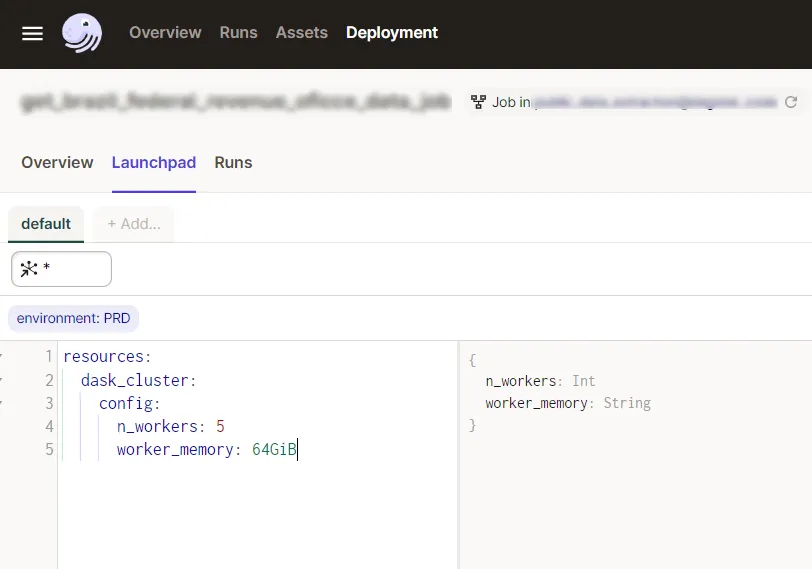
And this is the Dagster Launchpad, where we can change various settings before running our job — including, thanks to our Coiled cluster definition as a resource, choosing the size of our cluster in a simple and parameterized way:
We can now use our existing infrastructure to handle much larger datasets than we previously could. Everything was very easy and cheap.
In Conclusion
In this article, we examined an example of how to use Dagster and Dask+Coiled to orchestrate a recurring data processing pipeline. With Dask and Coiled, we were able to process data in parallel using a cluster of VMs in the cloud. Dagster is able to leverage these cloud resources, allowing us to process datasets much larger than we could otherwise.
I hope other people looking to scale their Dagster jobs to the cloud find this article useful. For more information on getting started with Coiled, check out their getting started guide.
This article is a translation of the original post.